Flutter Riverpod Tutorial Part 4: Modifier & Parameters

In this tutorial we'll explore various modifiers and parameters functionality in Riverpod. These following features help manage more complex state scenarios and optimize resource usage by automatically disposing of providers when they are no longer needed.
Family:
The family modifier allows you to create a provider that takes parameters. This is useful when you need to create multiple instances of a provider with different parameters.
Example: Fetching Posts by User ID with Family
We will modify our existing example from Tutorial 3 to fetch posts by user ID using the family modifier.
Let's update our basic_providers.part to include a provider with the family modifier:
//Provider with family modifier
final postsByUserIdProvider =
    FutureProvider.family<List<Post>, int>((ref, userId) async {
  final response = await http.get(
      Uri.parse('https://jsonplaceholder.typicode.com/posts?userId=$userId'));

  if (response.statusCode == 200) {
    List jsonData = json.decode(response.body);

    return jsonData.map((post) => Post.fromJson(post)).toList();
  } else {
    throw Exception('Unable to fetch posts from $userId');
  }
});
Finally let's create the above page. Where we'll get the userId from DropDown and then we'll show the posts
class UserIdPostsPage extends ConsumerWidget {
  const UserIdPostsPage({super.key});

  @override
  Widget build(BuildContext context, WidgetRef ref) {
    final usersListAsync = ref.watch(usersProvider);
    final selectedUser = ref.watch(selectedUserProvider);

    final postsAsyncValue = selectedUser == null
        ? const AsyncValue.data([])
        : ref.watch(postsByUserIdProvider(selectedUser.id));

    return Scaffold(
      appBar: AppBar(
        title: const Text('Users and Posts with Family'),
      ),
      body: Column(
        children: [
          usersListAsync.when(
            data: (users) {
              return DropdownButton<User>(
                hint: const Text('Select a User'),
                value: selectedUser,
                onChanged: (user) {
                  ref.read(selectedUserProvider.notifier).state = user;
                },
                items: users.map((user) {
                  return DropdownMenuItem<User>(
                    value: user,
                    child: Text(user.name),
                  );
                }).toList(),
              );
            },
            loading: () => const Center(child: CircularProgressIndicator()),
            error: (error, stack) => Text('Error: $error'),
          ),
          Expanded(
            child: postsAsyncValue.when(
              data: (posts) {
                return ListView.builder(
                  itemCount: posts.length,
                  itemBuilder: (context, index) {
                    final post = posts[index];
                    return ListTile(
                      title: Text(post.title),
                      subtitle: Text(post.body),
                    );
                  },
                );
              },
              loading: () => const Center(child: CircularProgressIndicator()),
              error: (error, stack) => Center(child: Text('Error: $error')),
            ),
          ),
        ],
      ),
    );
  }
}
Now we can observer the output here:
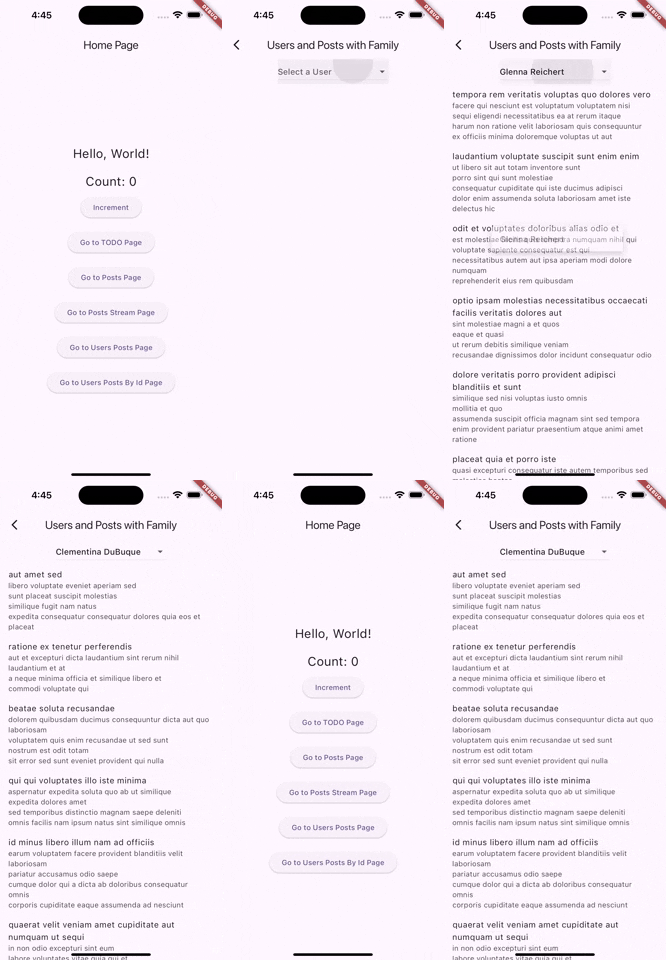
You can find the source code for Riverpod family here: riverpod family commit
AutoDispose:
The AutoDispose modifier ensures that the provider is automatically disposed of when it is no longer needed.
This is useful for optimizing resource usage, particularly for providers that hold onto resources like network connections or subscriptions.
Example: Fetching Posts by AutoDispose Provider
Let's update our basic_providers.dart to include an autoDispose provider:
final autoDisposePostsProvider =
    FutureProvider.autoDispose<List<Post>>((ref) async {
  final response =
      await http.get(Uri.parse('https://jsonplaceholder.typicode.com/posts'));

  if (response.statusCode == 200) {
    List jsonData = json.decode(response.body);

    return jsonData.map((post) => Post.fromJson(post)).toList();
  } else {
    throw Exception('Failed to load posts');
  }
});
Let's create posts_auto_dispose_page.dart to call our autoDispose provider
class PostsAutoDisposePage extends ConsumerWidget {
  const PostsAutoDisposePage({super.key});

  @override
  Widget build(BuildContext context, WidgetRef ref) {
    final postsAutoDisposeAsyncValue = ref.watch(autoDisposePostsProvider);

    return Scaffold(
      appBar: AppBar(
        title: const Text('Posts with AutoDispose'),
      ),
      body: postsAutoDisposeAsyncValue.when(
          data: (posts) => ListView.builder(
                itemCount: posts.length,
                itemBuilder: (context, index) {
                  final post = posts[index];
                  return ListTile(
                    title: Text(post.title),
                    subtitle: Text(post.body),
                  );
                },
              ),
          error: (error, stackTrace) => Center(
                child: Text("Error: $error"),
              ),
          loading: () => const Center(
                child: CircularProgressIndicator(),
              )),
    );
  }
}
As we can see the posts auto dispose page works as intended
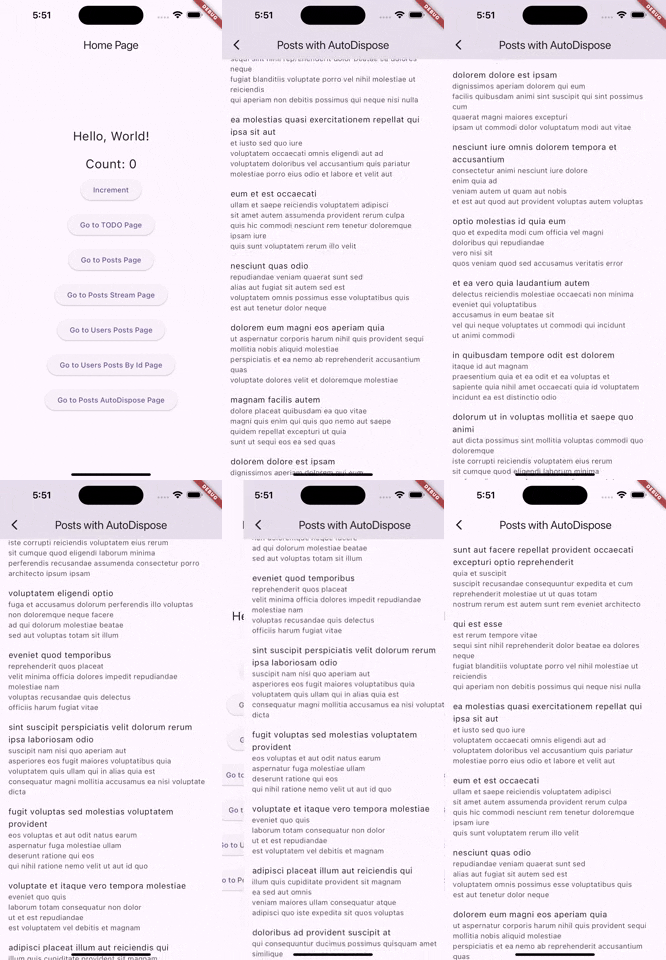
You can find the source code in this commit: Riverpod: autoDispose commit
keepAlive:
The keepAlive modifier can be used alongside autoDispose.
It allows certain instances of the provider to be kept alive even when not in use, based on a condition.
keepAlive with autoDispose:
We will create an autoDispose Users provider to keep it alive under certain conditions.
final autoDisposeKeepAliveUsersProvider =
    FutureProvider.autoDispose<List<User>>((ref) async {
  //Keeps this provider alive even when it's no longer being listened to
  ref.keepAlive();

  final response =
      await http.get(Uri.parse('https://jsonplaceholder.typicode.com/users'));

  if (response.statusCode == 200) {
    List jsonData = json.decode(response.body);

    return jsonData.map((user) => User.fromJson(user)).toList();
  } else {
    throw Exception('Unable to load users');
  }
});
Source Code:
You can find the source Code for the entire tutorial in this branch: riverpod_parameters
Comments
Join the discussionNo comments yet. Be the first to comment.
Flutter Riverpod Tutorial
In this series, I'll cover every concept of Riverpod in a comprehensive manner, so that any user can understand total ins and outs of any Riverpod concept.