Go Router + Riverpod Tutorial Series 1: Basic Redirection
Redirection is one of the best features of Go Router. So in total we are going to look at 5 tutorials which explore redirection in increments of complexity. This article marks our first tutorial.
Step 1: Define an AuthNotifier and authProvider using Riverpod
AuthNotifier and authProvider:
import 'package:flutter_riverpod/flutter_riverpod.dart';

class AuthNotifier extends StateNotifier<bool> {
  AuthNotifier() : super(false);

  void login() {
    state = true;
  }

  void logout() {
    state = false;
  }
}

final authProvider = StateNotifierProvider<AuthNotifier, bool>((ref) {
  return AuthNotifier();
});
Step 2: Define our Pages
HomePage:
class HomePage extends ConsumerWidget {
  const HomePage({super.key});

  @override
  Widget build(BuildContext context, WidgetRef ref) {
    return Scaffold(
      appBar: AppBar(
        title: const Text('GRT Redirect'),
      ),
      body: Center(
        child: Column(
          mainAxisAlignment: MainAxisAlignment.center,
          children: [
            const Text('Home Page'),
            const SizedBox(height: 20),
            ElevatedButton(
                onPressed: () {
                  ref.read(authProvider.notifier).logout();
                },
                child: const Text('Logout')),
          ],
        ),
      ),
    );
  }
}
When the Logout button is pressed. The value of state change to false.
LoginPage:
class LoginPage extends ConsumerWidget {
  const LoginPage({super.key});

  @override
  Widget build(BuildContext context, WidgetRef ref) {
    return Scaffold(
      appBar: AppBar(
        title: const Text('GRT Login'),
      ),
      body: Center(
        child: Column(
          mainAxisAlignment: MainAxisAlignment.center,
          children: [
            const Text('This is Login Page'),
            const SizedBox(height: 20),
            ElevatedButton(
                onPressed: () {
                  ref.read(authProvider.notifier).login();
                },
                child: const Text('Login')),
          ],
        ),
      ),
    );
  }
}
When Login Button is pressed. The value of state changes to true.
Step 3: Define our Go Router
I have defined a routerProvider that provides us with our Go Router
final routerProvider = Provider<GoRouter>((ref) {

  return GoRouter(
      initialLocation: '/home',
      routes: [
        GoRoute(path: '/home', builder: (context, state) => const HomePage()),
        GoRoute(path: '/login', builder: (context, state) => const LoginPage()),
      ],
      redirect: (context, state) {

        final loggedIn = ref.watch(authProvider);
// Checking to make sure that the current path is not Login
        final isLoggingIn = state.path == '/login';

        if (!loggedIn && !isLoggingIn) {
          return '/login';
        } else if(loggedIn && isLoggingIn) {
          return '/home';
        }
        return null;
      });
});
And finally here's how we connect this routerProvider to our App:
void main() {
  runApp( const ProviderScope(child: MyApp()));
}

class MyApp extends ConsumerWidget {
  const MyApp({super.key});

  // This widget is the root of your application.
  @override
  Widget build(BuildContext context, WidgetRef ref){
    final router = ref.watch(routerProvider);
    return MaterialApp.router(
      title: 'GRT Redirect',
      routerConfig: router,
    );
  }
}
Step 4: Test for various values
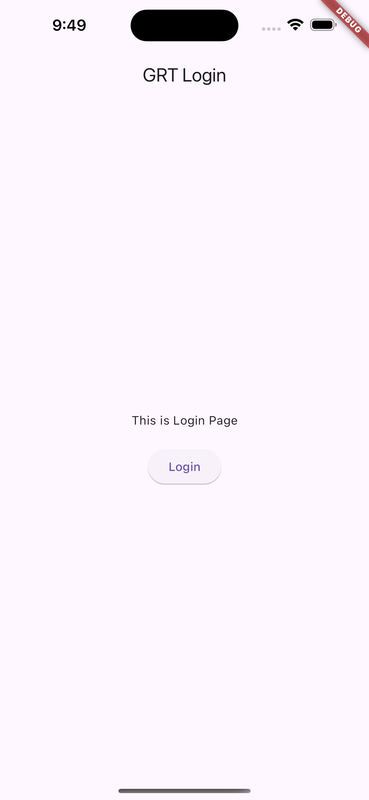
Since the initial value of the state is false. Here's the output when I run the app:
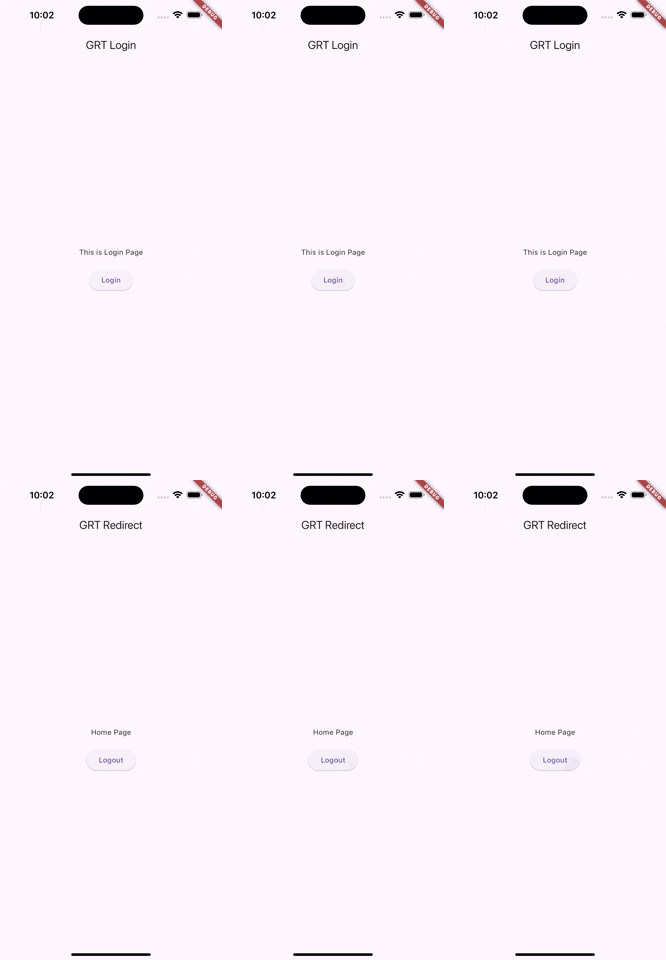
Now when we tap on the login button. The state changes to true. And it'll take us to the home page.
Comments
Join the discussionNo comments yet. Be the first to comment.
Go Router with Riverpod Tutorial
In here we'll look at a series of tutorials covering Go Router and Riverpod together.