Go Router + Riverpod Tutorial Series 5: Advanced Redirection with State Restoration

First let's update our AuthNotifier to support state restoration
Source code: redirection_with_state_restoration
Prerequisites:
First we are going to use flutter_secure_storage to store the state of the app.
So lets add it our pubspec.yaml
flutter pub add flutter_secure_storage
AuthNotifier:
class AuthNotifier extends StateNotifier<Map<String, dynamic>> {
  final FlutterSecureStorage _storage = const FlutterSecureStorage();

  AuthNotifier() : super({'loggedIn': false, 'role': 'guest'}) {
    _restoreState();
  }

  Future<void> _restoreState() async {
    //First read the loggedIn state from the storage
    final loggedIn = await _storage.read(key: 'loggedIn') == 'true';

    //Next read the role from the storage
    final role = await _storage.read(key: 'role') ?? 'guest';
    state = {'loggedIn': loggedIn, 'role': role};
  }

  Future<void> login(String role) async{
    state = {'loggedIn': true, 'role': role};
    print('State change to true,  Logged in as $role');

    //Save the loggedIn state to the storage
    await _storage.write(key: 'loggedIn', value: 'true');
    await _storage.write(key: 'role', value: role);
  }

  Future<void> logout() async{
    state = {'loggedIn': false, 'role': 'guest'};
    print('State change to false, Logged out');

    //Save the loggedOut state to the storage
    await _storage.write(key: 'loggedIn', value: 'false');
    await _storage.write(key: 'role', value: 'guest');
  }
}
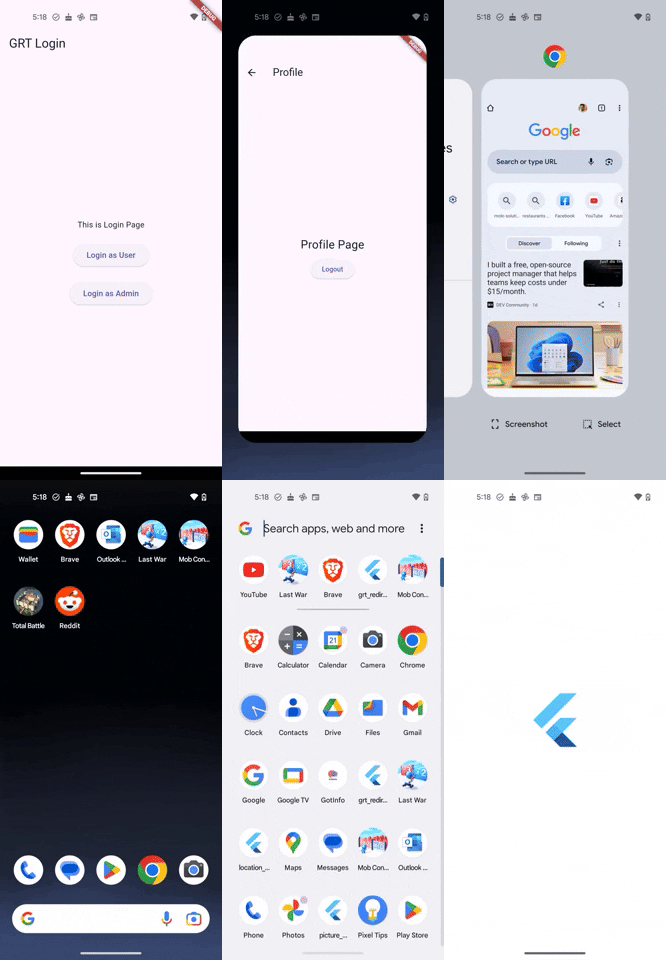
Output:
Now that we have added the state restoration. So whenever the user is logged in. Even if we close and reopen the app. The authentication system will remain the same.
As always you can find the source code for this tutorial here: redirection_with_state_restoration
Go Router with Riverpod Tutorial
In here we'll look at a series of tutorials covering Go Router and Riverpod together.